 Role by Post
Channel Status Bar
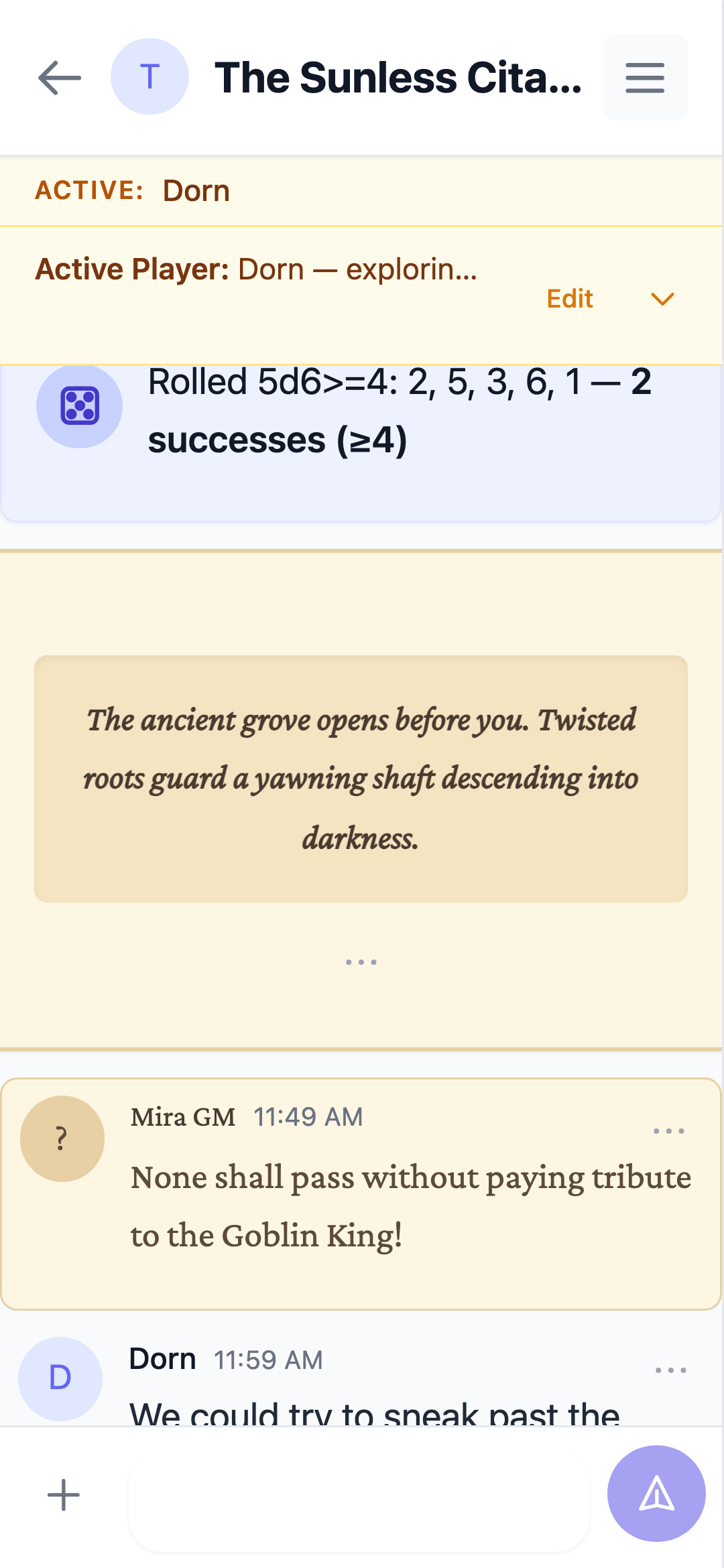
The Channel Status Bar sits at the top of the channel and keeps the group's shared state visible — initiative order, timers, NPCs, or anything else.
What it shows
- Free-form text with markdown and emoji support, up to 2,000 characters
- Active player(s) — a structured field naming who's up, which drives notifications
- When collapsed, the first line stays visible — the expand/collapse arrow only appears when the status text overflows a single line
Who can edit
The GM edits the status bar at any time. The GM can also set the active player(s) from the channel sidebar's Active Player item — check one or more players, then save; either way it updates the status and notifies the active player(s).
When the GM edits or clears the status, a short system note appears in the chat so everyone knows the status changed.