 Role by Post
Dice Rolling
Inline dice notation
Write dice notation directly in a message and it becomes clickable — anyone can click it to roll. The result is posted to the channel history.
Supported notation
NdX,NdX+M,NdX-M— basic rolls with modifiers2d20kh/2d20kl— advantage / disadvantage (keep or drop highest/lowest)4d6dl— drop lowestkh,kl,dh,dlwork with or without an explicit count, e.g.2d20kh+45d6p— dice pool: lists every face with no total, for games that read each die on its own5d6>=4— success pool: lists every face and counts how many hit the target number, e.g.Rolled 5d6>=4: 2, 5, 3, 6, 1 — **2 successes (≥4)**5d6ps/5d6>=4s— sorted pools: same as above, but the faces are listed highest-first, so you can read off how many beat a number at a glance
Roll messages break the total down into its parts, for example Rolled 1d20+3: 10 + 3 = **13** or Rolled 2d6: 3 + 5 = **8**. Advantage / disadvantage rolls show both dice, for example Rolled 2d20 with DIS [2, 15]: **2**. Pool rolls never add up: Rolled 5d6p: 2, 5, 3, 6, 1.
Critical rolls
A d20 that lands on a 20 shows Critical Success, and a d20 that lands on a 1 shows Critical Failure. This is based on the die itself — a modifier doesn't change it — and it works with advantage and disadvantage too (the kept die decides). Pool rolls never show critical labels. The same moments are marked in the roll history.
Ability checks and DC checks have their own topic — see Ability & DC Checks.
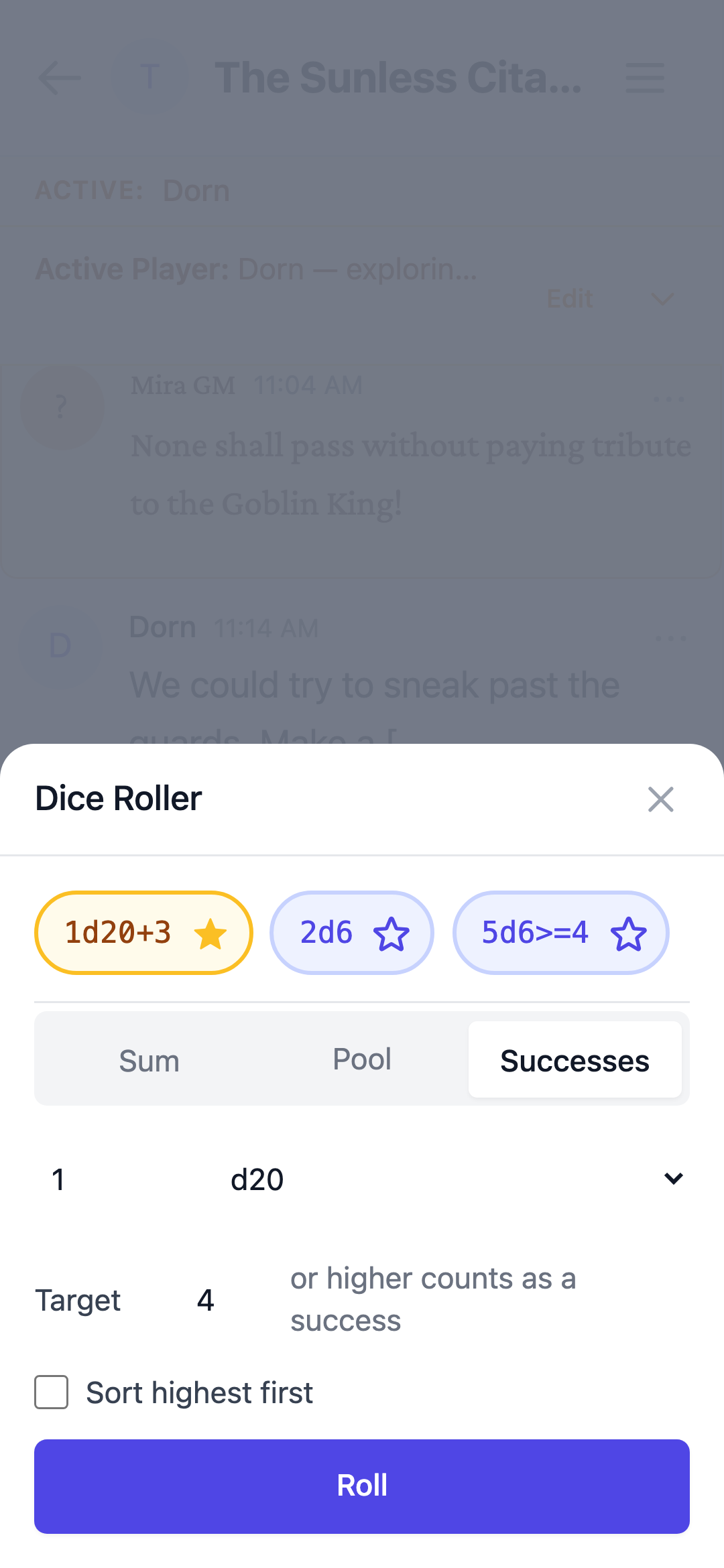
Dice Roller Panel
Both GMs and players can use the Dice Roller Panel:
- Pick a dice type (d4, d6, d8, d10, d12, d20, d100)
- Set the quantity
- Add a modifier (+N / -N) in Sum mode only — on phones, use the − / + steppers
- Switch between Sum, Pool, and Successes: Pool lists every face with no total; Successes adds a target number and counts how many dice hit it; a Sort highest first checkbox lists pool faces highest-first
- Tap a chip to load one of the last three distinct roll notations used in the channel into the roller — check the values, then tap Roll to confirm, so an accidental tap no longer rolls. A few exotic rolls the panel can't rebuild (like drop-lowest) still roll the instant you tap.
- Pin up to three favorite notations per channel with the star checkbox on each chip — favorites stay pinned to the front in amber, and unchecking one frees the slot
- Toggle advantage / disadvantage (d20 only)
- Roll — the result is posted as a dice roll message, and the roller closes so you can see it right away
On phones the roller opens as a bottom sheet over the composer, so it's easy to reach and never gets cut off at the bottom of the screen. It also closes once you roll.
Roll history
Every channel keeps a roll history, accessible from the Rolls item in the channel sidebar.
Fair, verifiable rolls
Every roll is generated and recorded on the server — the result, the individual dice, dropped dice, and any modifier are stored together with the roll message in a single step. That means everyone at the table sees the same trusted outcome, nothing can be edited after the fact, and when a message is deleted its roll is removed from the history.