 Role by Post
Rooms
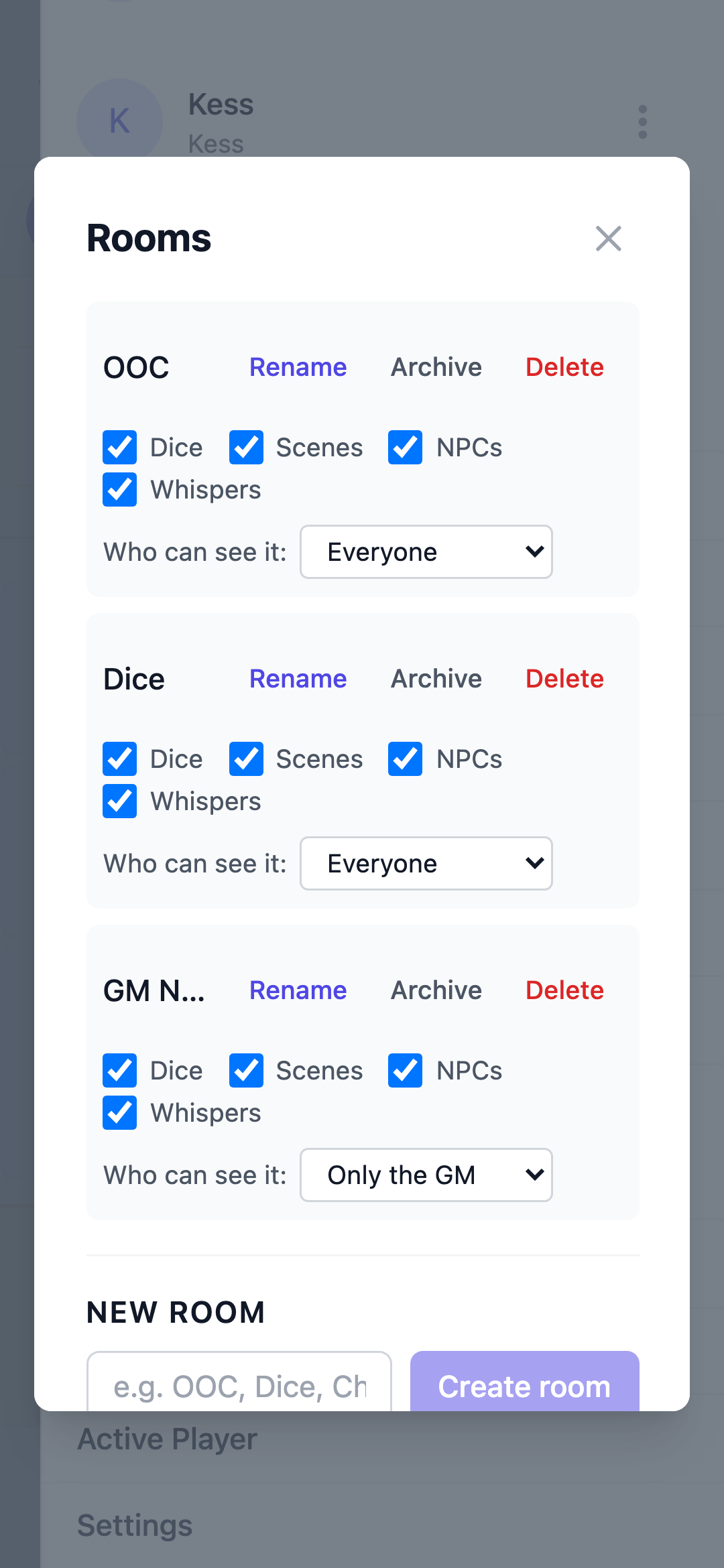
Rooms split a channel into separate conversations so the main story stays clean — an out-of-character room for table chatter, a room just for dice, a room for rules questions, or a private room for one player.
Every channel starts with Main, the original conversation. Rooms sit beside it in the room bar across the top of the channel — tap a room to switch to it. Messages, replies, and dice stay in the room you posted them in.
Creating and managing rooms
The GM creates rooms from the + Room chip in the room bar, or from the channel sidebar → GM Tools → Rooms. A channel can hold up to 10 active rooms.
From GM Tools → Rooms the GM can:
- Create a room — name up to 40 characters ("Main" is reserved), with its features already chosen (see below)
- Rename a room
- Archive a room — it leaves the room bar but stays readable, and frees a slot for a new one
- Restore an archived room
- Delete a room and its messages
- Choose who can see it — Everyone, Only the GM, or Invited players
- Turn features on or off for that room — dice, Scenes, NPC posts, and whispers
The features are on by default. Pick them in the New room form and the room starts that way, or change them on a room you already have.
Who can see a room
- Everyone — every member of the channel
- Only the GM — a private workspace for the GM alone
- Invited players — the GM plus the players the GM picks; everyone else never sees the room at all
A restricted room shows a lock in the room bar.
What's shared, what's separate
- Unread is counted per room, so a dot on a room means new messages there
- Status is per room too — Main and each room keep their own status bar, so an initiative order in one room never shows up in another
- Search covers the whole channel by default; from inside a room you can switch it to This room only
- Rolls always show the whole channel's history, with each roll tagged by the room it was made in
- Dice, Scenes, NPC posts, and whispers can be turned off per room by the GM
- Images stay in Main — rooms are text-first
- A private or GM-only room never shows in the lobby preview — only its members see its messages
Written by Alvaro Cavalcanti, creator of Role by Post.