 Role by Post
Safety Tools
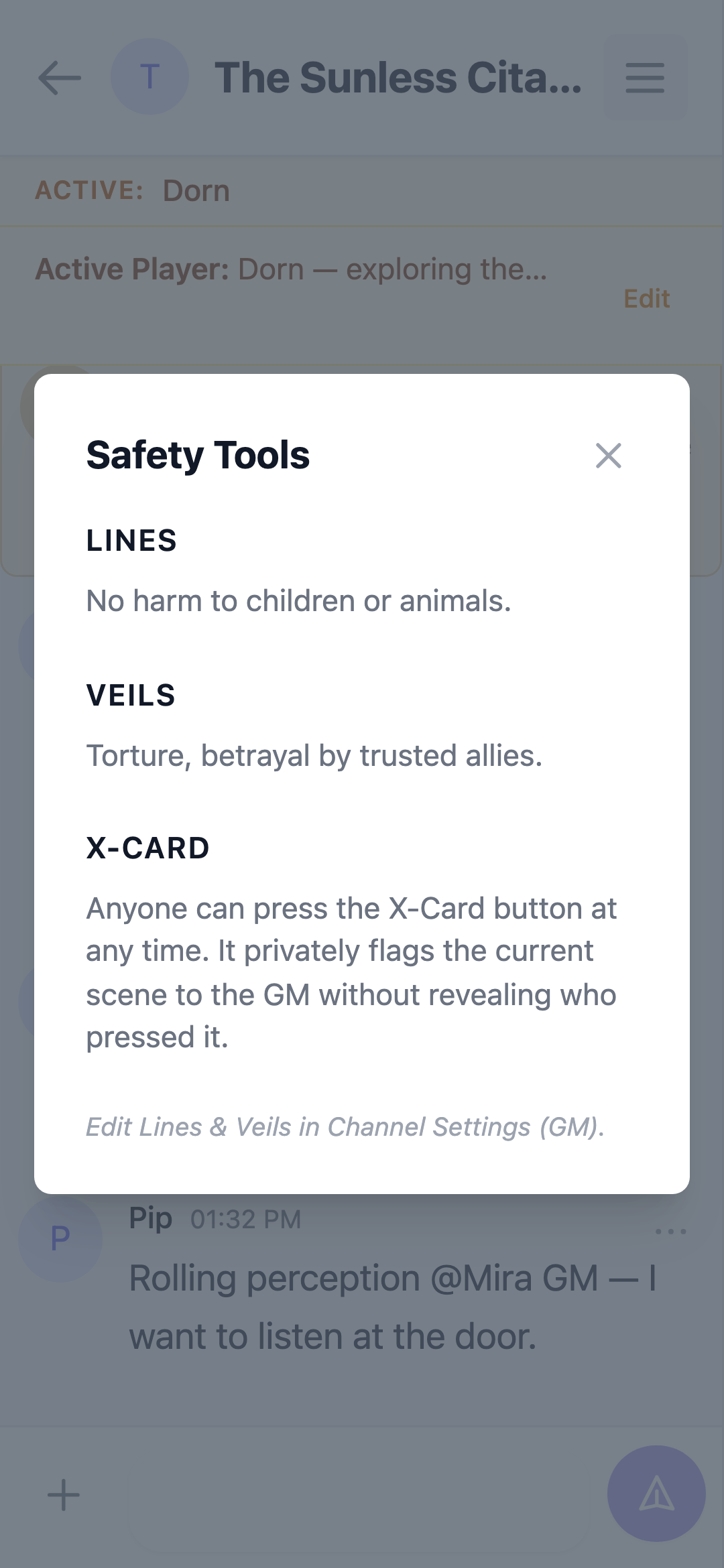
Safety tools help everyone at the table stay comfortable.
Lines & Veils
- Lines are the hard limits the group agrees never to cross.
- Veils are topics that can come up, but happen "off-screen".
The GM edits Lines & Veils in Channel Settings. Each field supports up to 2,000 characters. Every member can view them from the Safety Tools item in the channel sidebar.
Safety Tools Doc
The GM can link a shared document (e.g. a Google Doc) as the group's safety reference. It appears as Safety Tools Doc in the channel sidebar for all members.
X-Card
The X-Card is a red card-with-X button in the message composer (open the "+" options in the composer). Pressing it flags the current scene to the GM anonymously — the GM sees an instant alert and can handle the scene outside the chat. The presser gets a private confirmation.
The flag is never lost to timing: if the GM wasn't online when it was pressed, they still see the alert the next time they open the channel (however long they were away — every unhandled flag stays pending until handled), and dismissing the alert persists, so it stays dismissed after a page reload. If the GM plays from more than one device, dismissing the alert on one dismisses it on the others, too.
When the GM handles the scene and dismisses the alert, everyone in the channel sees a short note in the chat: "A flagged scene has been resolved. Carry on — the X-Card is always there if you need it again." It never names who pressed — the flag stays anonymous from press to resolution.